Anúncios
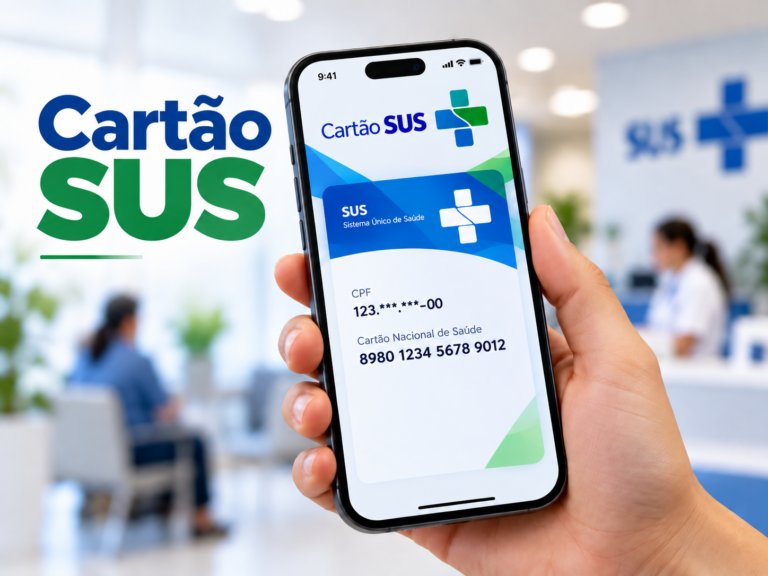
The SUS number, also known as CNS (Cartão Nacional de Saúde), is an essential document for every Brazilian citizen who uses the public health system. Without it, accessing many services through the Unified Health System can be difficult or even impossible.
Whether you need to schedule appointments, receive vaccines, or access medical records, knowing how to find and consult your SUS number is a fundamental skill. In this complete guide, you will learn every available method to check your CNS quickly and safely.
Everything about the SUS number
The SUS number (CNS) is a unique 15-digit identifier assigned to every person registered in the Brazilian public health system. Understanding how it works is the first step to using public health services without any problems.
What is the SUS number and why is it important?
The Cartão Nacional de Saúde (CNS) was created to unify patient records across all public health units in Brazil. It allows the government to track treatments, vaccinations, and medical history nationally, ensuring better care for every citizen.
Without this number, patients may face difficulties scheduling consultations at UBS (Basic Health Units), receiving medications through the Farmácia Popular program, or accessing specialized services. It is essentially your identity within the SUS ecosystem.
| Feature | Details |
|---|---|
| Full name | Cartão Nacional de Saúde (CNS) |
| Number of digits | 15 digits |
| Who can get it | Brazilian citizens and legal residents |
| Issued by | Ministry of Health (Ministério da Saúde) |
| Main purpose | Identify patients in the public health network |
Who is entitled to a SUS number?
Every person living in Brazil is entitled to a SUS number, regardless of whether they have private health insurance. This includes Brazilian citizens, naturalized citizens, and foreign nationals with legal residency in the country.
Children receive their CNS at birth when their parents register them in the health system. Foreigners must present their residence permit and valid identification documents to complete the registration at a local health unit.
Difference between the physical card and the digital number
The physical CNS card used to be the main proof of registration in the SUS system. However, with the advancement of digital tools, many services now accept just the 15-digit number, making the physical card less essential in everyday situations.
| Format | Advantages | Disadvantages |
|---|---|---|
| Physical card | Universally accepted, easy to show | Can be lost or damaged |
| Digital number | Always accessible via smartphone | Requires internet access |
| Meu SUS Digital app | Full integration with health records | Requires Gov.br login |
Complete guide: how to check your SUS number
There are several ways to consult your SUS number depending on the tools you have available. Below is a step-by-step breakdown of each method, from digital apps to in-person options at health units across Brazil.
Method 1: using the Meu SUS Digital app
The Meu SUS Digital application is the official platform launched by the Brazilian Ministry of Health. It is available for both Android and iOS devices and provides full access to your health record, including your CNS number.
To access your SUS number through the app, follow these steps:
- Download the Meu SUS Digital app from Google Play or the App Store
- Open the app and tap on “Entrar com Gov.br”
- Log in using your CPF and Gov.br password
- Navigate to the “Documentos” or “Cartão do SUS” section
- Your 15-digit CNS number will be displayed on screen
If you do not have a Gov.br account, you will need to create one first. Registration is free and can be done directly through the Gov.br website or app using your CPF and personal data.
Method 2: consulting via the ConecteSUS website
The ConecteSUS portal is another official government platform that allows citizens to access their health information online. Although the app has replaced many of its features, the website can still be useful in some cases.
To use this method, visit the official ConecteSUS address and log in with your Gov.br credentials. Once logged in, look for the health card section to find your CNS registration details and personal health history.
Method 3: checking at a UBS (Basic Health Unit)
If you prefer an in-person option or do not have access to a smartphone or internet, visiting your nearest UBS is a reliable alternative. Health agents at any local health unit can look up your SUS number using your CPF or full name.
Bring valid photo identification such as your RG or CNH, and if possible, your CPF document as well. The staff will be able to print or inform your CNS number on the spot, usually within a few minutes.
Method 4: using the Gov.br portal directly
The Gov.br platform centralizes many federal government services, including access to health-related documents. After logging in with your CPF and password, you can navigate to the health section and find your linked CNS registration.
- Go to gov.br and log into your account
- Search for “Cartão Nacional de Saúde” in the services search bar
- Select the service and confirm your identity if prompted
- View or download your CNS number information
Method 5: through the CADSUS web system
CADSUS (Sistema de Cadastramento de Usuários do SUS) is the official database used by health professionals and public administrators to manage CNS records. In some municipalities, citizens can access a simplified version to check their registration status.
Access to CADSUS for regular users may depend on your city’s configuration. In many cases, health unit employees use CADSUS to search for and confirm CNS numbers when patients present at the reception desk with identification documents.
What to do if you have never been registered in the SUS?
If you have never received a SUS number, the process of getting one is simple and free. You need to visit any Basic Health Unit (UBS) in your city and present documents such as your CPF, RG, proof of address, and birth certificate.
After submitting your documents, a health worker will register you in the CADSUS system and issue your CNS number. In some locations, you may receive a printed card, while in others the number is provided verbally or by SMS.
Frequently asked questions about the SUS number
Below are some of the most common questions people have when trying to find or understand their CNS registration in Brazil.
-
Can I check my SUS number using only my CPF?
Yes. Many platforms and health unit systems can look up your CNS using your CPF as the main identifier. It is the easiest way to find your number if you have never memorized it. -
Is it possible to have more than one SUS number?
In some cases, duplicate registrations can occur, especially for people who registered in different cities. If you find duplicate numbers, notify the health unit so they can unify the records in the CADSUS system. -
What should I do if I lost my physical SUS card?
If you lost your physical card, do not worry. Your CNS number remains active in the system. You can retrieve it through the Meu SUS Digital app, Gov.br portal, or by visiting any UBS with your identification documents. -
Do children have their own SUS number?
Yes. Children are entitled to their own CNS number from birth. Parents or guardians can register newborns at the maternity hospital or at the nearest Basic Health Unit by presenting the child’s birth certificate. -
Is the SUS number the same as the health plan card number?
No. The SUS number (CNS) is exclusive to the public health system and is issued by the Ministry of Health. Private health plan numbers are issued by the insurance companies themselves and are completely different documents.