Anúncios
Digital documents are becoming increasingly common in Brazil, offering convenience, security, and easy access right from your smartphone. Among these innovations, the RG Digital stands out as a practical solution for everyday identification needs.
Instead of carrying a physical document everywhere, Brazilians can now access their official ID digitally, reducing the risk of loss, damage, or theft. This transformation reflects a broader movement toward digital services, making public systems more efficient and user-friendly.
If you want to simplify your routine and keep your identification always within reach, understanding how to download and use the RG Digital is essential—especially as more services begin to accept digital documents as valid identification.
What Is the RG Digital and How It Works
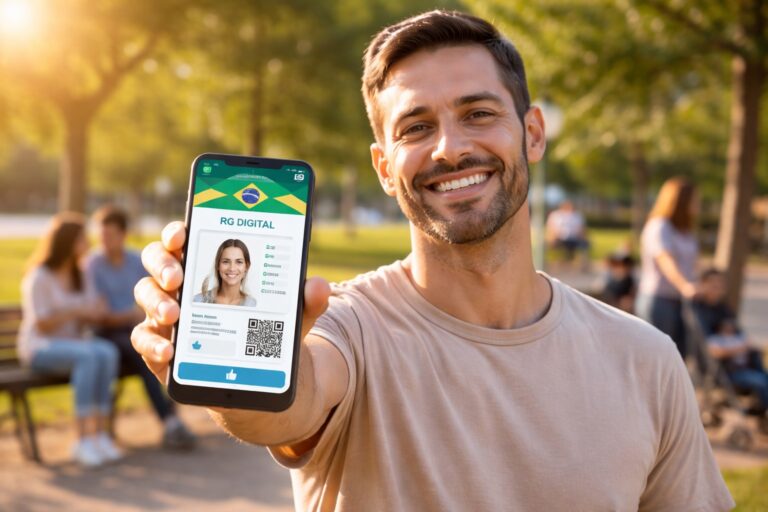
The RG Digital is the digital version of the traditional Brazilian identity card. It is issued by state authorities and can be accessed through official government apps. This digital document has the same legal validity as the physical version in many situations.
It works by securely storing your identification data within an authorized mobile application. Most versions include a QR code or verification system that allows institutions to confirm the document’s authenticity instantly.
The RG Digital is especially useful in situations where quick identification is required, such as hotel check-ins, banking services, and certain travel scenarios within Brazil.
Requirements to Download the RG Digital
Have an Updated Physical ID with QR Code
Before downloading the RG Digital, you must have a newer version of the physical RG that includes a QR code. Older versions may not be compatible with digital verification systems.
If your ID does not include this feature, you may need to request a second copy from your state’s issuing authority.
Smartphone with Internet Access
You will need a smartphone (Android or iOS) with a stable internet connection to download and set up the application.
Most official apps are lightweight and easy to install, but ensuring your device is updated helps avoid compatibility issues.
Access to Official Government Apps
Each Brazilian state may have its own official application for issuing the RG Digital. Some states integrate this feature into broader government apps.
It is essential to download the correct app from trusted sources like Google Play or the Apple App Store to ensure security.
Step-by-Step Guide to Download the RG Digital
Step 1: Download the Official App
Go to your smartphone’s app store and search for your state’s official RG Digital app or a government service app that includes identity features.
Always verify the developer to ensure it is an official government source.
Step 2: Register or Log In
After installing the app, create an account or log in using your existing credentials. Some apps allow access through unified government login systems.
Make sure your personal data is accurate during registration.
Step 3: Locate the Digital ID Option
Within the app, look for the section related to documents or digital identity. This is where you will find the option to add your RG Digital.
Navigation may vary slightly depending on the app interface.
Step 4: Scan the QR Code
Use your phone’s camera to scan the QR code printed on the back of your physical RG. This step is crucial for validating your identity.
Ensure good lighting and hold the camera steady for accurate scanning.
Step 5: Confirm Your Identity
Some apps may request additional verification, such as a selfie or confirmation code sent to your email or phone number.
This process enhances security and prevents unauthorized access.
Step 6: Access Your RG Digital
Once verification is complete, your RG Digital will be available within the app. You can access it anytime, even offline in most cases.
Make sure to familiarize yourself with the interface for quick access when needed.
Main Benefits of Using the RG Digital
Convenience in Daily Life
Having your ID on your phone eliminates the need to carry a physical document at all times.
This is especially useful for people who frequently travel or need to present identification quickly.
Enhanced Security Features
Digital IDs often include encryption and verification tools that make them harder to forge or misuse.
This reduces the risk of identity fraud and unauthorized duplication.
Quick Access Anywhere
With just a few taps, you can display your ID whenever needed.
This speed can be crucial in situations that require immediate verification.
Reduced Risk of Loss
Since the document is stored digitally, the chances of losing it are significantly lower compared to a physical card.
Even if you change devices, you can usually recover access through your account.
Environmentally Friendly
Using digital documents helps reduce paper consumption and supports sustainability efforts.
It’s a small but meaningful step toward a more eco-conscious lifestyle.
Common Mistakes to Avoid
Downloading Unofficial Apps
Always verify that the app is developed by a government authority. Unofficial apps can compromise your personal data.
Using an Outdated ID
Trying to register an old RG without a QR code will likely result in errors.
Make sure your document is compatible before starting the process.
Ignoring Security Settings
Enable app security features such as passwords or biometric authentication to protect your data.
Poor QR Code Scanning Conditions
Ensure proper lighting and camera focus when scanning the QR code to avoid delays.
Conclusion
The RG Digital represents a major step forward in how identification is managed in Brazil. It combines practicality, security, and accessibility, making everyday tasks easier and more efficient.
By following the correct steps and ensuring you meet all requirements, you can quickly access your digital ID and enjoy its many benefits. As digital transformation continues, adopting tools like the RG Digital is not just convenient—it’s becoming essential.
Frequently Asked Questions (FAQ)
1. Is the RG Digital valid everywhere in Brazil?
Yes, in most situations it has the same legal validity as the physical document, but some institutions may still request the physical version.
2. Can I use the RG Digital without internet access?
In many cases, yes. Once downloaded, the document can often be accessed offline.
3. What should I do if my RG doesn’t have a QR code?
You will need to request an updated version of your ID from the issuing authority.
4. Is the RG Digital free to use?
Yes, the digital version is typically free if you already have a compatible physical ID.
5. Can I have the RG Digital on more than one device?
This depends on the app, but many allow access on multiple devices with proper authentication.